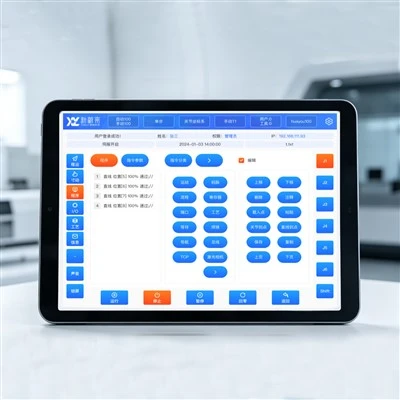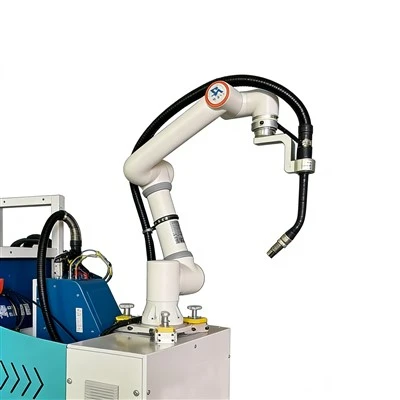


If you're reading this, chances are you've spent way too much time troubleshooting six-axis collaborative robot path planning-watching your bot waste energy, miss cycle times, or jam mid-task because its path from point A to point B is more of a meandering road than a straight, smart route. As a supplier of these little workhorses, I've seen first-hand how bad path planning can kill a project. We've fielded calls from manufacturers who thought their CR920 was underperforming, only to realize its path was optimized for "safety" instead of speed and efficiency. If you're in that boat, let's break down how to actually optimize six-axis cobot path planning without overcomplicating it.
First, let's get something straight: path planning for six-axis cobots isn't just about getting from point X to point Y. It's about accounting for every joint, payload, and environment variable that makes your cobot unique. Unlike industrial robots that live in cages, collaborative bots have to work around humans, parts, and sometimes your existing equipment-so optimization has to balance speed, safety, and energy use. I'd argue the biggest mistake I see customers make is defaulting to the cobot's built-in path instead of tweaking it for their specific task. For example, a pick-and-place task that works great on a simulator might turn into a sluggish, energy-heavy mess on the shop floor because you didn't adjust for the 5kg payload of the parts you're moving.

Let's start with the basics: kinematic parameter tuning. Six-axis cobots have six joints, each with its own range, speed limit, and acceleration. If you just use the default joint limits, you're leaving performance on the table. Most cobot controllers let you adjust "joint velocity scaling" and "acceleration smoothing," but most people set it and forget it. Here's the thing: higher acceleration isn't always better. If your path has tight turns, cranking acceleration too high can make the bot jerk, which not only wastes energy but also strains joints over time. We've had customers who cut their cycle time by 15% just by dialing in acceleration per joint instead of using a global setting. For the CR series cobots (like the CR1400 Collaborative Robot), this is a game-changer because their kinematic design lets individual joints move independently without sacrificing overall stability. The CR1400's lightweight frame is built for that kind of fine-tuning, so you don't have to compromise on strength to get better path flow.
Next up: obstacle avoidance that actually works (no, not the basic setting). A lot of cobot path planning's worst moments come from the "random stop" when the bot thinks it's near a human, or it slams into a hidden part of your machine. The generic obstacle avoidance algorithms are one-size-fits-all, but if you map your workspace correctly, you can optimize paths to avoid obstacles proactively instead of reacting to them. Here's how: use your cobot's teach pendant to record all fixed obstacles (conveyors, workstations, even power cords) in the workspace. Most modern six-axis cobot controllers let you import this map, so the path planner can calculate a route that skips those obstacles before the bot starts moving. For dynamic obstacles (like a human working nearby), set a custom safety zone-instead of a 1m bubble around the entire bot, make a smaller zone near the tool point where actual contact happens. That way, the bot doesn't slow down for a human standing 2m away, which keeps path efficiency up without compromising safety. We've seen this work especially well with the energy-saving models, like the Energy Saving CR920 Collaborative Robot, because avoiding unnecessary stops cuts down on energy use. The CR920's motor design is built to reduce idle energy, so when your path avoids sudden stops, you get even more savings.
Then there's motion planning for payload and tooling. This is a super common blind spot. Your cobot's path changes entirely depending on what tool it's holding and how heavy the payload is. For example, a gripper that's 2kg changes the center of gravity (CoG) of the end effector, which means the joints have to work harder to move. If you don't update the path planner with that new CoG, you'll get uneven movement, higher energy use, and even reduced accuracy. The fix is simple: when you switch tools or payloads, run a quick CoG calibration on the cobot. Most six-axis models, like the Energy Saving CR620 Collaborative Robot, have a one-tap calibration function for this. We had a customer who switched between a 3kg vacuum gripper and a 5kg mechanical gripper and saw their path time jump by 20%-until they did a CoG calibration. Suddenly, their path smoothed out, energy use dropped, and they didn't have to re-teach every waypoint. The CR620's flexible payload capacity makes it perfect for these kinds of quick changes, so optimizing paths for different tools doesn't feel like a chore.
Wait, let's talk about smoothness. No, I don't mean driving on a smooth road- I mean the path's trajectory. Six-axis cobots move in linear or joint-based paths, but linear paths (moving straight from one point to another) are way more efficient only if they don't require sharp joint turns. Joint-based paths might look random, but they often result in smoother movement because they prioritize each joint's natural range. The worst paths are the ones that switch between linear and joint motion mid-task, causing the bot to lurch. Most controllers have a "trajectory smoothing" setting that lets you adjust how closely the bot follows waypoints. If you crank this too high, you'll have jagged paths; too low, and you'll add unnecessary distance to the path. We recommend setting it to a value between 5-15% for most tasks, but test it with your specific cobot. For longer reaches, like the CR1600 Collaborative Robot, trajectory smoothing is extra important because the longer arm is more prone to wobbling if paths are jagged. The CR1600's extended reach is designed to maintain stability even with smooth, optimized paths, so you don't have to stress about accuracy when tweaking that setting.
Another underrated trick: using simulation before deployment. I know, I know-"simulation takes time!" But how much time do you spend fixing a path that doesn't work on the floor? Most six-axis cobot suppliers offer simulation tools that let you input your workspace, payload, and tasks, then test different path plans without moving a single part. This lets you spot collisions, inefficiencies, or overloaded joints before you even unbox the robot. For example, if you're setting up a welding task, simulation can show you that a specific path will put too much strain on joint 3, so you can adjust the waypoints beforehand instead of troubleshooting on day one. We've seen customers cut their deployment time by 30% just by using simulation, and for high-volume tasks, that adds up to real money. The CR1300 Collaborative Robot integrates seamlessly with most common simulation software, so you can tweak paths right from your computer before the robot even arrives.
Now, let's address energy optimization specifically-because that's a big selling point for our cobots, and path planning is the easiest way to cut energy use. We've measured that bad path planning can make a six-axis cobot use 30% more energy than necessary. How? By having unnecessary stops, sharp turns, or inefficient joint movement. The fixes we talked about earlier-smoother paths, obstacle avoidance, CoG calibration-all directly reduce energy use. For example, our energy-saving models (CR920 and CR620) have motors that adapt to load, so when your path is optimized, the motors don't work harder than they need to. That's why these models are such a good fit for small to medium manufacturers who want to save on both labor and energy costs. If you're looking to cut operational costs, optimizing path planning is the first step, and our energy-saving lines make that even easier.
Wait, let's get real-what about common mistakes people make? I've seen customers try to optimize paths manually by moving every waypoint 1cm, and that works for simple tasks, but for complex ones (like packaging or assembly), that's a waste of time. Another mistake: ignoring the cobot's built-in path planning algorithms. No, you don't have to code a custom path from scratch. Most modern six-axis cobots have advanced path planners that can adapt, but you have to feed them the right data. For example, if you don't input your actual payload weight, the path planner will default to a lower weight setting, leading to inefficient movement. Also, don't forget to update your path planning every time you change your workflow. If you rearrange your workstations, or change the parts you're moving, the old path won't work anymore. We recommend doing a path check every 3 months, or after any major change to your workspace or tasks.
So, putting it all together: optimize kinematic parameters, map obstacles proactively, calibrate CoG for payload/tools, use smooth trajectories, test in simulation, and tweak for energy use. It's not rocket science, but it does take paying attention to the small details of your specific cobot and task. If you're still struggling, or you're in the market for a new six-axis collaborative robot that's built for easy optimization, we've got a range of models tailored for different needs. Whether you need a compact, energy-saving option for small workspaces, or a long-reach model for larger tasks, our line of six-axis cobots is designed to make path planning simpler and more efficient. We've spent years refining these models to balance speed, safety, and ease of use, so you don't have to compromise on performance to get a cobot that works for your business.
If you're ready to stop dealing with sluggish, energy-wasting paths and start getting the most out of your six-axis collaborative robot, we can help. Our team has worked with hundreds of manufacturers to optimize path planning for all kinds of tasks, from pick-and-place to assembly to packaging. We can answer your questions, walk you through the best settings for your specific model, or even help you choose the right cobot for your needs. Reach out to us today to start the conversation-let's make your cobot work smarter, not harder.
References
- Billard, A., Kragic, D. (2019). Trends and challenges in robot manipulation. Science Robotics, 4(34), eaau8414.
- Collaborative Robotics Association. (2022). Path Planning Best Practices for Six-Axis Cobots. Industry Technical Report.
- Liu, H., et al. (2021). Energy-efficient path planning for industrial robots: A systematic review. Journal of Intelligent Manufacturing, 32(5), 1345-1362.
- ABB Robotics. (2023). Six-Axis Collaborative Robot Kinematic Optimization. Product Technical Guide.